If you have a website and you don't have Google Analytics installed, then I'm sorry to say, you're not really taking your digital marketing seriously. As one of our favourite quotes from Peter Drucker states, "If you can't measure it, you can't improve it". Similarly, you can't improve your digital marketing if you don't measure it and have clear goals you want to achieve. Google Analytics is the bare minimum you need to track what is happening on your website. And the best bit? It's free to use.
Google Analytics is integral for Digital Marketing
If you have a website and you don't have Google Analytics installed, then I'm sorry to say, you're not really taking your digital marketing seriously. As one of our favourite quotes from Peter Drucker states, "If you can't measure it, you can't improve it". Similarly, you can't improve your digital marketing if you don't measure it and have clear goals you want to achieve. Google Analytics is the bare minimum you need to track what is happening on your website. And the best bit? It's free to use.
Google Analytics & Search Console Explained for Beginners
Join Jarrod as he dives into website analytics and shows how tools like Google Analytics and Search Console can give you a clear picture of how your site is performing. Learn how to see what your visitors are doing, spot opportunities to improve your site, and make smarter decisions for your digital marketing. Whether you’re running a small business or managing marketing online, this video gives practical tips to get the most out of these free tools and grow your online presence.2025-09-25T00:00:00+10:00https://www.youtube.com/embed/fmZG3-HaO_0https://img.youtube.com/vi/fmZG3-HaO_0/maxresdefault.jpgView Transcript▼
Google Analytics (GA) is a free program from Google that tracks how a website visitor gets to your website and what they do when they get there. All you need to do is set up an account and then add some tracking code to your website. If you're not comfortable finding your way around your website, you can always pass the code onto your web designer and ask them to add it. Even with a set up cost from your web designer, the longer term advantages will more than offset them.
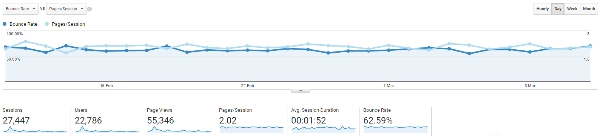
Once you have GA installed, you can start to see what is happening on your site. Just a few of things you can see are:
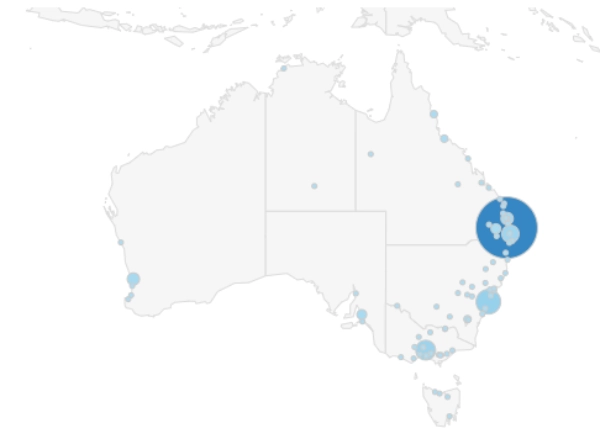
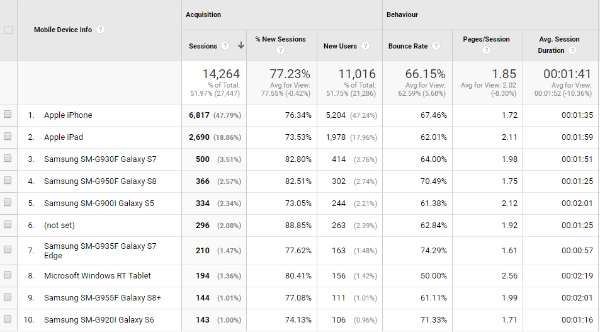
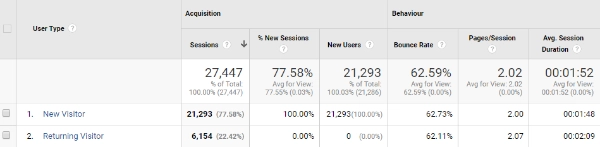
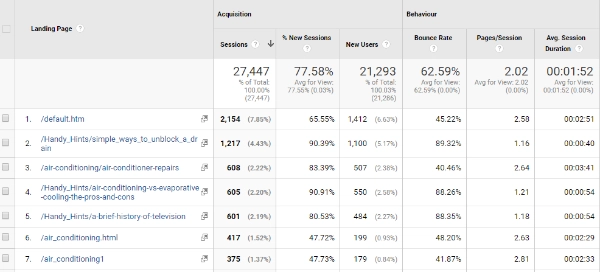
How many people visited your website in the last month Where in the country did they come from How did they get to your website (search, yellow pages, adwords, Facebook etc) Were they on a phone, tablet or desktop computer (even down to the brand) Have they been to your website before Did they stay on your site for long and look at multiple pages or just leave What page did they come into your website and what are the most popular pages
There are a lot more you can find out about your website, but these are the main ones.
Conversions Tracking on Google Analytics
Knowing how someone gets to your website and what they do when they get there is great, but what about whether they do what you want them to do. Isn't a large part of digital marketing analytics knowing how many sales, webforms and phone calls your website generates? This is where setting up goals in GA comes in.
Setting up a goal to track whenever a webform is filled in is relatively straight forward. Similarly, Google Analytics already has an eCommerce section that can easily be set up to track the amount of sales made on your website. Important: Phone call tracking requires a third party platform to acurately track when phone calls have been made.
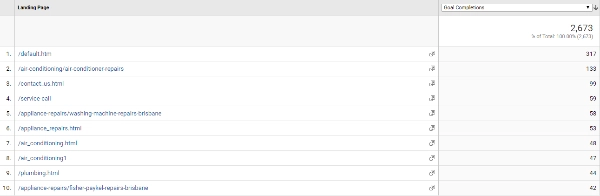
Setting up these Goals allows you to easily see what parts of your web marketing is converting. This includes what pages on your website, what traffic sources and screen types to name a few.
Landing page goals conversion
So if you haven't got Google Analytics set up on your website, get onto it. If you're using an SEO company and they haven't given you access to your Google Analytics, ask them for it. It doesn't matter whether you handle the digital marketing for your business or you outsource it, you should always be familiar with how your website is going.